Drive Mad
Real Cars In City
Crazy Bikes

Cars Lightning Speed
Mad Cars Racing And Crash
Crazy Road Trip
Crazy Descent
Flying Wheels Evolution
Monster Truck Vs Zombie
Car Parking School
3d Car Simulator
Monsters Wheels Special
Crazy Cars Unblocked — Play Free Online
Driving & RacingDrive and perform wild stunts in Crazy Cars, an open-world 3D browser game. Unlock custom vehicles and race solo or in two-player split-screen mode.
Crazy Cars unblocked: play Crazy Cars online free right here in your browser — no download, no sign-up, works on a school Chromebook.
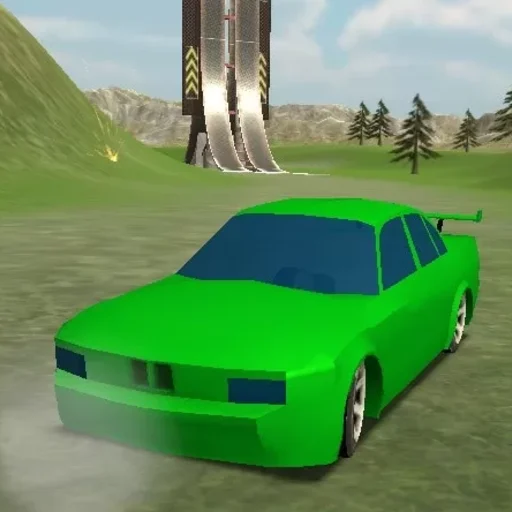
Crazy Cars is an energetic 3D driving sandbox that swaps rigid track boundaries for a sprawling playground filled with massive ramps, loop-the-loops, obstacle courses, and hidden collectibles. Instead of forcing you into a standard lap-based circuit, the game encourages freeform exploration where every hill and structure serves as a launchpad for gravity-defying jumps.
For fans of Drive Mad who enjoy physics-driven vehicle control, Crazy Cars provides a much more open, momentum-heavy alternative. Where Drive Mad challenges you with delicate balance over precision hazards, Crazy Cars lets you floor the accelerator, drift around open asphalt plazas, and bounce off giant props with satisfying arcade weight.
As you cruise across the colorful map, you can tackle designated sprint tracks, hunt down scattered stars and wrenches, and build up your collection of unlockable vehicles ranging from nimble street racers to heavy off-road trucks.
How to play
Navigating the stunt arena is straightforward and responsive:
- Steer and Accelerate: Use WASD or the Arrow keys to steer, throttle forward, and reverse.
- Brake and Drift: Tap the Spacebar to engage the handbrake for tight turns and controlled slides.
- Reset Vehicle: Press R to immediately upright your car after a crash or high-altitude rollover.
- Pause Menu: Press Esc to pause the action or access game settings.
In two-player split-screen mode, player one drives with WASD while player two takes the arrow keys, sharing the keyboard for head-to-head races across the park.
Tips for hitting top speeds and stunts
- Line up your ramp approaches: Speed alone will not clear the largest gaps. Straighten your wheels before hitting steep incline ramps to avoid tumbling sideways mid-flight.
- Use the reset key freely: Getting wedged between obstacles or flipped onto your roof is part of the fun. Hitting the R key resets your position instantly without losing your collected stars.
- Scout the map borders for collectibles: High-value stars and upgrade wrenches are often tucked behind elevated buildings, atop spiraling ramps, and near the edges of the park.
- Match vehicles to the terrain: Nimble sports cars excel on asphalt drag strips, but heavier buggies and trucks absorb landings far better when leaping off high platforms.
Similar driving games on Drive Mad
If you enjoy the arcade freedom of Crazy Cars, explore other driving titles on the site. Drive Mad delivers level-based physics puzzles that test your throttle discipline over tricky bridges and ramps. City Rider offers an open urban driving simulation with customizable vehicle handling, while 3D Car Simulator focuses on realistic vehicle physics and multiple scenic maps to test drive sports cars.
Crazy Cars plays smoothly in modern desktop and laptop browsers with zero installation needed. Jump in for a quick solo stunt run or grab a friend for split-screen challenges right away.
Questions about Crazy Cars
Is Crazy Cars unblocked at school?
Crazy Cars runs in an ordinary browser tab from drivemad.co, with nothing to download or install, so it plays on most school Chromebooks and work computers. If a network filter blocks the site, only that network's administrator can change it.
Can I play Crazy Cars with two players on the same computer?
Yes, Crazy Cars features a built-in split-screen mode that lets two players race and perform stunts together on a single keyboard.
What are the primary controls for Crazy Cars?
Drive using WASD or the arrow keys, press the Spacebar to handbrake, and press R to instantly reset your vehicle if it flips over.
How do you unlock new vehicles and upgrades?
Explore the playground map to gather collectible stars and wrenches, then use them in the garage to unlock faster sports cars and monster trucks.
Does Crazy Cars require any downloads or plugins?
No, Crazy Cars runs directly in your web browser with HTML5 and WebGL, requiring no installation, downloads, or sign-up.